Silver Black Elegance

Ever find one of those images with a white background and wonder what you can do with it? Here is my example of what this tute can create.

Step 1.
Find an image that is surrounded by a white background.
Take it to Image Magic.
2. Go to colormap, click gray. Put 100 in the box. Now you have your image.
2. Resize to half size and transload/save.
3. Go back to IM to original size image gray.
4. F/X swirl at 60000000. Or whatever swirl number looks best for your image. You should have a black swirl in the middle of the surrounding white.
4. Comp small image you saved "Over" rotate -40.-40, or whatever rotation you choose, center. I used -40-40 for mine.
5. Decorate: border: 5x5-8x8 silver, or whatever size you choose.
repeat with black (same as silver). Repeat with silver again. Then do a frame black 15x15+5+5, or whatever size you choose.
6. (Optional) Find a dingbat or a tiny image you like and annotate/composite left bottom next to swirl. rotate: -40-40, or whatever rotation number you chose above.
Find a silver or white line or bar. rotate same bar transform rotate right. Save both.
Go back and composite non rotated bar North -0-1 rotate -40-40, or same rotation you chose above. Leave coordinates in box and do same South.
Now change the -40-40 rotate to -0-0 and follow steps above north and south again.
Now take your rotated right line/bar and do this.
Composite NorthWest -1-0, And NorthEast -1-0.
Here is an example of following this tute using a colored image. Same steps, Just don*t do the gray steps. I used one of the silver bars below on this one.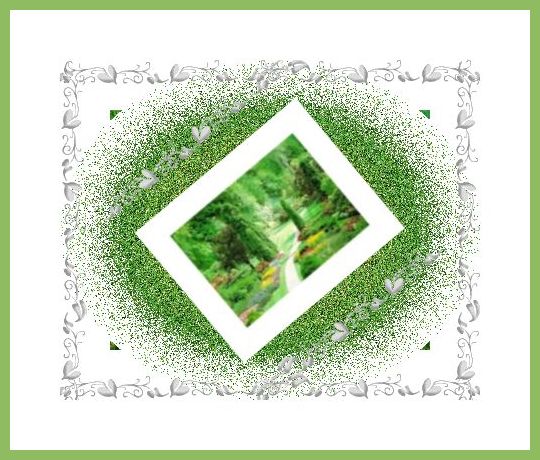
It is best to find your line and ding or tiny image, "before" starting this tute.
Here are some silver lines and bars, regular and rotated, you may use if you would like to.
Lines and Bars
Have fun with this.
~Janea~
Scarlet*s WORLD GALLERY Library
Written: February 21, 2008 by: Janea Lee. Please do not duplicate this tute. Thank you.